How Alanbagi Uses Google AI Studio and Lovable (Real Workflow & Case Study)
.webp)
Table of content

Overview:
Most builders waste Lovable credits experimenting with design iterations they could have finalized elsewhere. Google AI Studio sits in their toolkit, underused, because no one shows them how it actually fits into a production workflow. The gap isn't knowledge, it's execution.
If you're already using Lovable or Google AI Studio, you've probably hit the same walls we did. Lovable's design limitations surface early. Trial-and-error burns credits fast. Google AI Studio feels powerful but disconnected from actual product building. The result? Weeks spent experimenting, credits wasted, and products that never reach production.
This article breaks down the exact workflow we use with clients, a proven system that saves time, preserves Lovable credits, and gets products live faster. You'll see the full process, a real case study (Clubzup), and the honest trade-offs we've learned through execution. This isn't a theory. It's what works.
If you're a founder, builder, or team frustrated by workflow limitations and looking for a repeatable process, this is for you.
Fast Lane
Quick Access
- Why This Workflow Exists
- The Full Workflow Breakdown
- Google AI Studio: Design Lab
- Lovable: Where Products Come to Life
- Real Case Study: Clubzup
- Common Mistakes to Avoid
- Who This Workflow Is For
- Final Thought
Why This Workflow Exists
Lovable is exceptional at speed and structure. You describe what you want, and it builds a working product—backend, frontend, hosting included. But here's what most builders learn the hard way: Lovable's design flexibility has limits.
When you iterate on visual design inside Lovable, every change costs credits. Adjust a color scheme? Credits. Refine animations? Credits. Test three layout variations? More credits. This adds up fast, especially when you're still figuring out what your product should look like.
Google AI Studio, on the other hand, excels at multimodal design work. You can prompt, iterate, and refine UI components without any deployment pressure. It's a design lab where experimentation is free, and the output is clean, exportable code.
The problem most teams face is treating these tools as competitors instead of collaborators. They pick one and try to force it to do everything. That's the mistake.
The Credit Economics Problem
Here's the reality: Lovable credits drain fastest when you're designing visually. If you're using Lovable to experiment with how your app should look, you're using the wrong tool for that phase of work.
Lovable credits drain fastest when experimenting with visuals. A design-first approach in Google AI Studio and Lovable allows multiple iterations without burning credits. By the time you move to Lovable, your design is finalized, letting the platform focus on building structure, logic, and deployment.
Alanbagi’s Step-by-Step Google AI Studio and Lovable Workflow
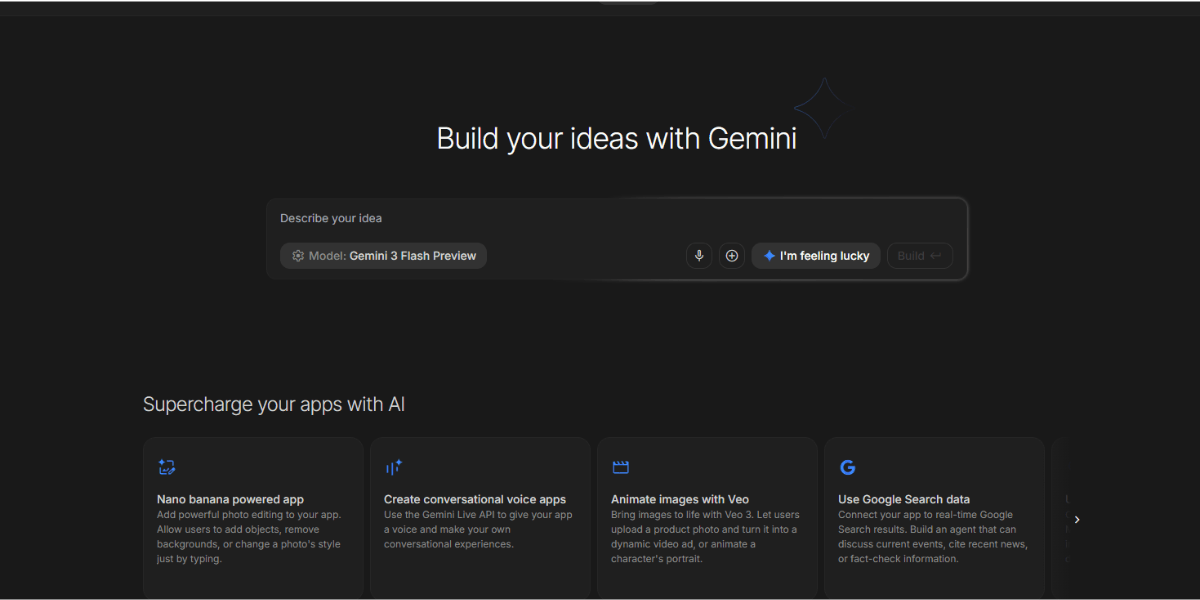
This workflow has five clear phases. Each phase has a specific purpose, and skipping steps leads to wasted credits and slower progress.
Step 1 Design UI and Animations in Google AI Studio
Why Google AI Studio first?
Google AI Studio gives you full control over design prompts without burning Lovable credits. You can test multiple UI variations, refine animations, and generate clean, exportable code—all before committing to a build.
The ai studios google interface makes it easy to work with text and image references simultaneously. If you have a design inspiration or brand guideline, you can feed that context directly into your prompts and get output that matches your vision.
What we create in this phase:
- Component designs (navigation bars, cards, forms, buttons)
- Animation logic (hover states, transitions, scroll effects)
- Layout structures (grids, flexbox arrangements, responsive breakpoints)
- Color schemes and typography systems
This phase is where creative decisions happen. We're not building a product yet we're designing the pieces that will become the product.
How to use Google AI Studio for this work is straightforward. You write detailed prompts describing what you want, specify the framework (React, Tailwind CSS, etc.), and let the model generate the code. If the output isn't perfect, you refine the prompt and regenerate. No credits burned. No deployment delays.
Step 2 Export Clean Code
Once the design is finalized in Google AI Studio, we export the code. This step matters more than most people realize.
What to export:
- React components (if your Lovable project uses React)
- CSS or Tailwind classes
- Animation libraries or inline styles
- Any reusable design tokens (colors, spacing, fonts)
Why clean exports matter:
Lovable interprets structured files better than raw prompts. If you upload clean, well-organized code, the Lovable AI agent can understand it faster and place it correctly in your project. Poor exports create more work downstream—you'll spend credits cleaning up code instead of building features.
We test exports locally before uploading them to Lovable. This catches syntax errors, missing dependencies, and formatting issues early.
Step 3 Start a New Lovable Project in Plan Mode
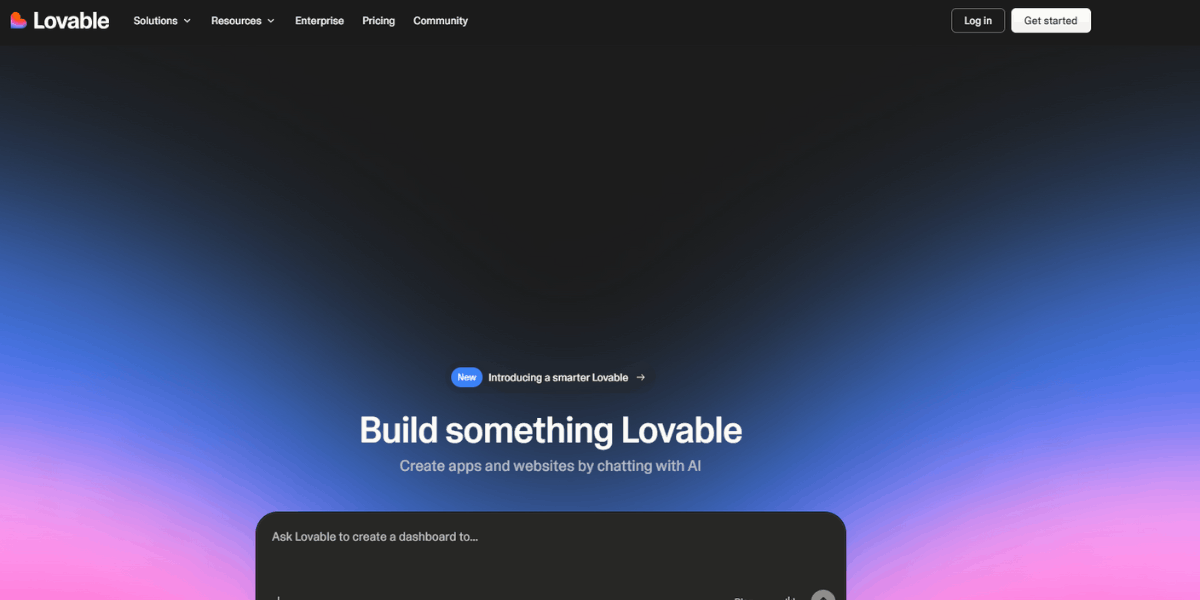
Plan Mode is one of the most underused features in Lovable, and it's critical to this workflow.
Why Plan Mode?
When you start a lovable project setup in Plan Mode, the AI doesn't immediately start building. Instead, it reads your uploaded files, understands the structure you're proposing, and suggests how to organize everything before executing.
This reduces errors. It prevents misplaced files. It ensures the Lovable AI agent knows where components belong before writing a single line of backend code.
How to do it:
- Start a new project in Lovable
- Enable Plan Mode
- Upload the exported files from Google AI Studio
- Describe the project structure in natural language (e.g., "This is a marketplace app with user profiles, product listings, and a checkout flow")
- Let Lovable suggest folder hierarchy and file placement
- Confirm or adjust the plan before the build starts
This step takes an extra five minutes, but it saves hours of rework later. It's one of the best ways to save Lovable credits by getting the structure right from the start.
Step 4 Let Lovable Build the Product Structure
Now Lovable does what it does best—building the product.
What Lovable handles:
- Backend logic and API endpoints
- Database setup and schema design
- Routing and navigation
- Deployment and hosting
- Real-time functionality
What we avoid in this phase:
- Design rework inside Lovable
- Over-prompting visual changes
- Iterating on aesthetics instead of functionality
Because the design is already finalized and imported, Lovable focuses entirely on structure and logic. This is where the lovable workflow becomes efficient. You're not wasting credits on cosmetic iterations—you're building a working product.
The lovable app builder shines here. You can chat with the AI to refine backend behavior, add new features, or adjust data flows. But the visual layer is stable, so iteration stays focused and productive.
How Alanbagi Uses Google AI Studio for Design & Prototyping
Google AI Studio isn't just for chatbots or text generation. For teams building products, it's one of the best design prototyping environments available—especially when paired with Lovable.
Choosing the Right Model for UI Design
Google AI Studio for developers offers access to multiple Gemini models. Choosing the right one speeds up your workflow.
Which models we use:
- Gemini Pro for detailed, component-level design work (navigation systems, complex forms, multi-step flows)
- Gemini Flash for rapid iteration on simpler elements (buttons, cards, typography tests)
Gemini Pro gives more thoughtful, structured outputs. We use it when designing core product components that need to be right the first time. Gemini Flash is faster and cheaper, so we use it for quick tests and variations.
Understanding how to use google ai studio api opens up even more possibilities. You can automate design exports, batch-generate components, or integrate Google AI Studio outputs directly into your version control system. But for most teams, the web interface is enough.
Prompt Strategy for Exporting Lovable-Ready Code
The quality of your Google AI Studio output depends entirely on your prompts. Generic prompts produce generic code. Specific, structured prompts produce clean, usable exports.
Effective prompts we use:
- "Generate a responsive React navigation component using Tailwind CSS with smooth hover animations and mobile menu support"
- "Create a product card component with image, title, price, and 'Add to Cart' button. Use Tailwind for styling and include hover state transitions"
- "Build a multi-step form wizard with progress indicator. Export code compatible with Lovable's project structure"
Why prompts matter:
Better prompts mean cleaner exports. Cleaner exports mean fewer Lovable iterations. Fewer iterations mean saved credits. It's that simple.
When you're clear about framework (React), styling approach (Tailwind CSS), and intended behavior (animations, responsive design), Google AI Studio produces code that drops into Lovable with minimal adjustment.
This is how you built apps from google ai studio that integrate seamlessly into a lovable dev projects workflow.
How Alanbagi Uses Lovable to Build and Deploy Products
Lovable is where design becomes a real, working product. But how you set up your lovable project determines how smoothly the build goes.
Lovable Project Setup Best Practices
Setup checklist:
- Start in Plan Mode
- Upload design files first (components, styles, assets)
- Define backend requirements clearly (data models, API needs, user flows)
- Let the AI suggest structure before confirming the build
This setup process takes 10-15 minutes, but it prevents hours of rework. The lovable website builder works best when it has a clear blueprint upfront.
Lovable excels at understanding intent when you describe what the product should do. But it needs structure to execute efficiently. That's why uploading pre-designed components and defining backend logic separately works so well.
Essential Lovable Features for This Workflow
Features we rely on:
- GitHub export for version control and full code ownership
- One-click deployment to get products live instantly
- Real-time preview to test changes before publishing
- Chat-based iteration for refining logic and functionality
What we avoid:
- Visual design iteration inside Lovable (this burns credits unnecessarily)
- Over-reliance on Lovable's AI for aesthetic decisions (design should be finalized before importing)
The lovable website capabilities are strong, but they're strongest when paired with external design work. If you try to make Lovable do everything, you'll hit limitations faster.
For teams wondering how to download lovable project files, Lovable offers seamless GitHub integration. You can export your entire codebase, continue development locally, or hand it off to a technical team for scaling.
Clubzup Case Study: How Alanbagi Built it with Google AI Studio and Lovable
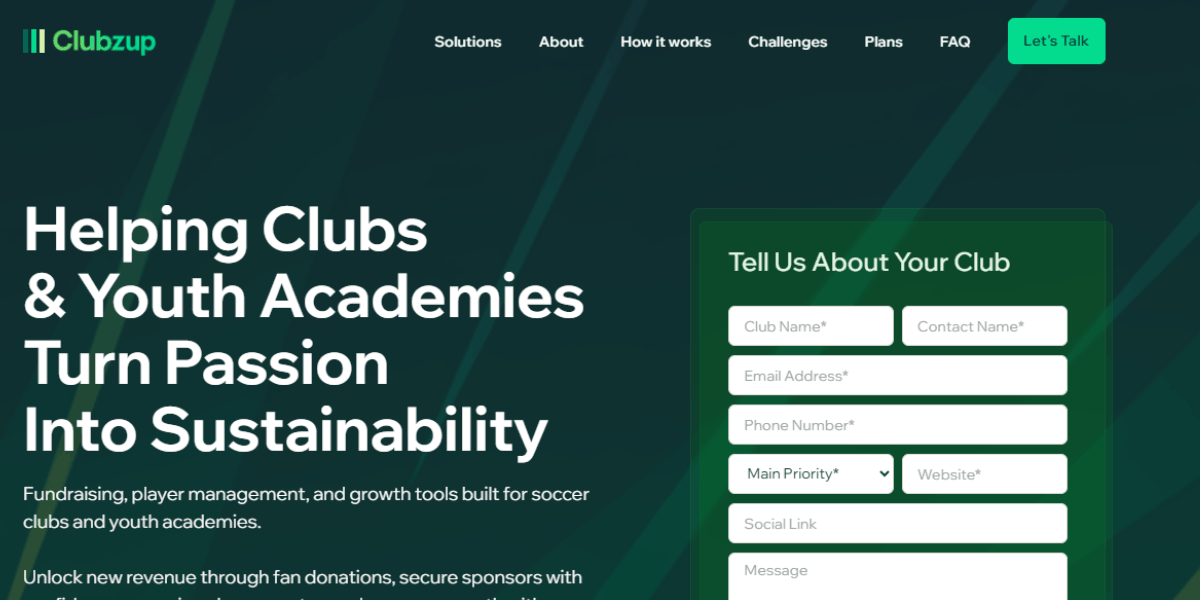
Clubzup is a real-world example of combining Google AI Studio and Lovable Dev to ship a production-ready app efficiently. This case study focuses on practical execution, lessons learned, and the workflow we used to go from concept to live app quickly.
Project Overview
What Clubzup is:
Clubzup is a community-focused platform designed to connect users around shared interests and activities. The founder had a clear vision but no technical team, limited budget, and a tight timeline.
Why we chose Lovable:
The goal wasn't to build a prototype or proof-of-concept. It was to ship a real, production-ready app that could onboard actual users, handle real data, and function reliably from day one. Lovable promised speed, built-in hosting, and the ability to iterate quickly without managing infrastructure.
For a lovable startup project like this, where time and resources are constrained, Lovable made sense but only if we approached it strategically.

Lovable Learning Curve
What Lovable does well:
Lovable is genuinely easy to start with. The interface is intuitive. The AI understands natural language prompts. For getting an MVP running quickly, it's one of the best tools available.
The reality check:
Shipping a fully functioning app, not just a working prototype takes time. Lovable gets you 70-80% of the way there fast. The final 20-30%? That's where the real work happens.
Expect iteration. Expect testing. Expect refinement beyond the initial build. Lovable builds fast, but production-ready means:
- All edge cases handled
- Forms validated properly
- States managed correctly
- Data syncing reliably
- UI working across devices and browsers
Build Process & Challenges
Phase 1: Design in Google AI Studio
Alanbagi started by designing all UI components in Google AI Studio. This included:
- Homepage hero section with animated gradients
- User profile cards with hover effects
- Navigation system with mobile-responsive menu
- Event listing components with filtering UI
We tested three different layout variations in Google AI Studio before finalizing the design. This experimentation phase cost zero Lovable credits. Once the design was approved, we exported clean React components with Tailwind CSS styling.
Phase 2: Build in Lovable
We started a lovable project in Plan Mode and uploaded the exported components. The Lovable AI agent structured the backend, set up routing, and connected the database.
The initial build happened quickly. Within 48 hours, we had a working version of Clubzup. But "working" and "production-ready" are different standards.
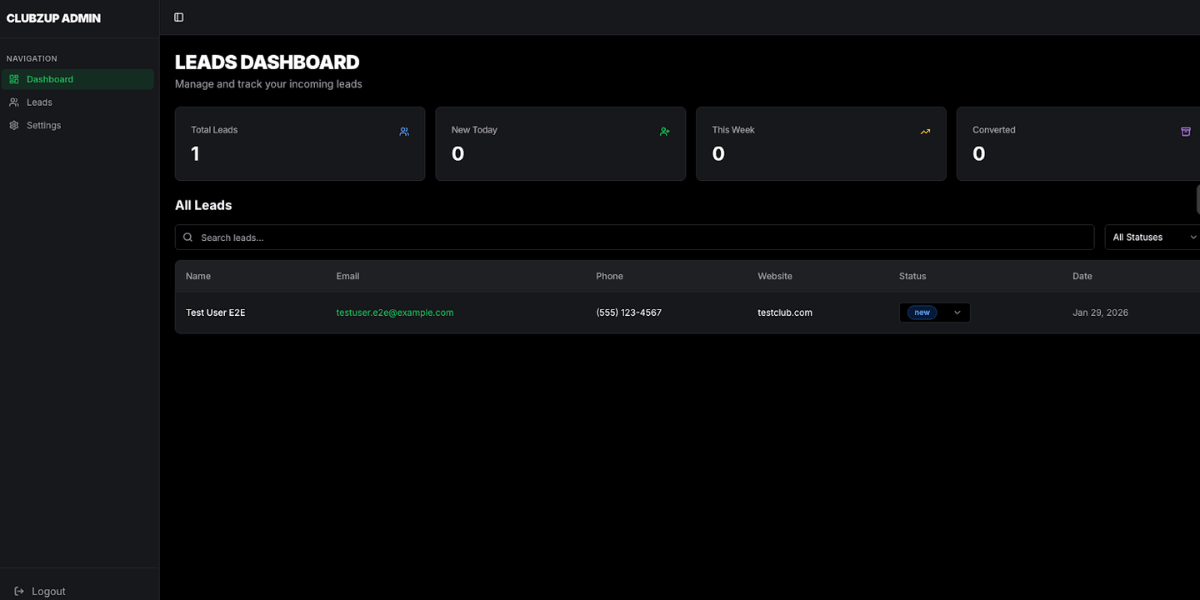
What happened next:
- Multiple rounds of bug fixing — Forms weren't validating correctly. Some user actions triggered errors. Data wasn't syncing as expected.
- Manual QA testing — We tested real user flows, edge cases, error states, and mobile responsiveness. Every test revealed new issues.
- Small issues compound — A form bug affects data. A data sync issue affects the UI. A UI edge case breaks navigation. Each fix revealed another issue downstream.
This is normal. This is what real product development looks like. But it's important to understand upfront: Lovable builds fast, but testing and refinement take time.
What worked:
- The design-first approach saved an estimated 50%+ of Lovable credits
- Clear separation between design and build reduced confusion and iteration cycles
- The client saw design previews in Google AI Studio before any Lovable build started, which built confidence early
What required heavy iteration:
- Backend data flows needed refinement (users requested additional filtering options)
- Form validation edge cases (empty fields, duplicate entries, invalid formats)
- Mobile responsiveness needed adjustments for smaller screen breakpoints
- State management across multi-step workflows
- Error handling for failed API calls or network issues
None of these were workflow failures—they were normal product iteration. The difference was that Alanbagi handled them efficiently because the foundation was solid.
The Outcome
Results:
- Live product at www.get.clubzup.com
- Production-ready in under one week
- Client retained full ownership via GitHub export
- Total Lovable credits used: approximately 60% less than a standard build
Key takeaway:
This workflow isn't theoretical. It's proven. It's repeatable. And it works for lovable startup projects that need to move fast without wasting resources.
The lovable dev pricing credits model rewards efficiency. When you design externally and import cleanly, you maximize output per credit. That's how small teams and solo founders compete with larger, well-funded competitors.
Post-Lovable Optimization Workflow
Once Clubzup was functionally complete in Lovable, the work didn't stop. We needed to make it truly ship-ready.
Step 1: GitHub Push
Lovable allows full GitHub export. We pushed the entire codebase to version control, giving us full ownership and the ability to optimize further.
Step 2: Optimization with Cursor + Claude
We used Cursor (an AI-powered code editor) and Claude to:
- Clean up redundant code
- Optimize component performance
- Improve loading times
- Refactor messy sections for maintainability
- Add additional error handling and logging
This step made the app faster, cleaner, and more professional. Lovable built it. We optimized it.
Step 3: Additional QA After Code Changes
Every code change introduced risk. We ran another full QA cycle:
- Tested all user flows again
- Verified no regressions from optimization
- Checked performance metrics (page load times, API response times)
- Validated mobile responsiveness after code changes
Why this matters:
Lovable gets you to production fast. But the best results come from combining Lovable + code tools + manual optimization. If you want a truly polished product, plan for this phase.
Landing Pages & Go-to-Market Testing
With Clubzup live, the next phase was validation: Does anyone actually want this?
Generated multiple landing pages from the app:
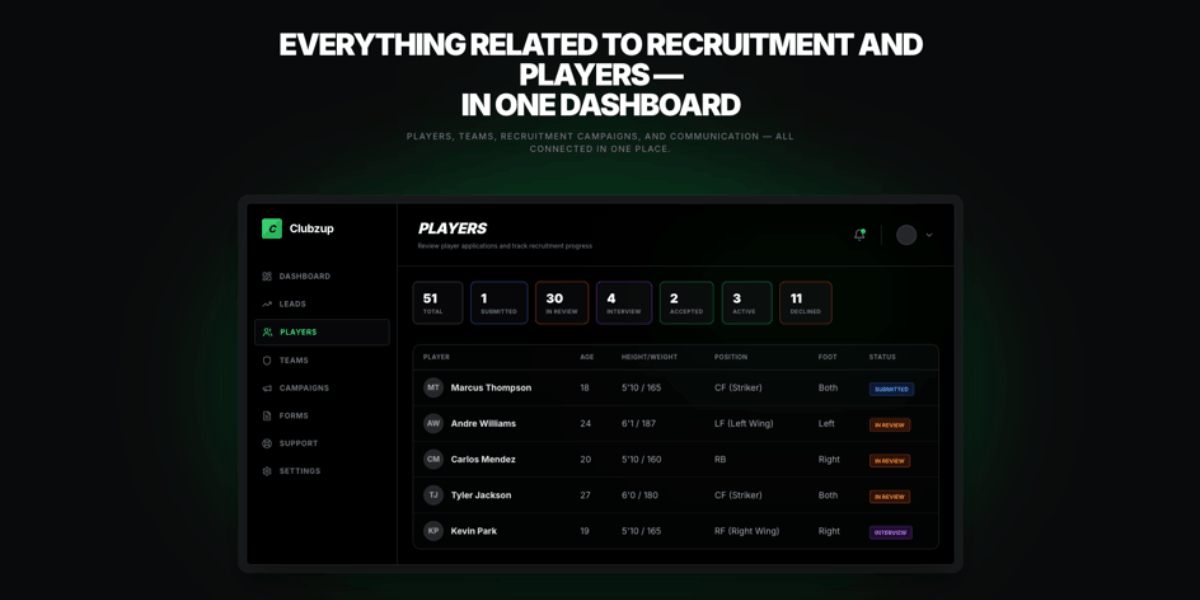
Using the core Clubzup design system, we created landing pages optimized for different audiences:
One page targeted recruitment, emphasizing community-building for talent acquisition and hiring pipelines, while another addressed fundraising, highlighting investor networks and startup communities. This strategic approach enabled precise testing of messaging and positioning while maintaining a consistent, professional visual identity across all variants.
Common Mistakes to Avoid with Google AI Studio & Lovable Dev
We've seen teams make the same mistakes repeatedly. Here's how to avoid them.
Mistake 1 — Starting Design Work in Lovable
Why this fails:
Lovable is a builder, not a design tool. When you iterate on visual design inside Lovable, you're burning credits on work that could happen for free in Google AI Studio.
Lovable design capabilities are functional, but they're not optimized for creative experimentation. Every color change, layout adjustment, or animation test costs credits.
The fix:
Design externally in Google AI Studio, export clean code, and import to Lovable. Reserve Lovable credits for building functionality, not refining aesthetics.
Mistake 2 — Not Using Plan Mode
Why this fails:
When you skip Plan Mode, Lovable builds immediately without understanding your project structure. Files end up misplaced. Components get duplicated. The AI has to guess where things belong.
More confusion means more iterations. More iterations mean more credits wasted.
The fix:
Always start lovable project setup in Plan Mode. Let the AI review your uploaded files and suggest structure before executing the build.
This is one of the easiest ways to save Lovable credits and avoid rework.
Mistake 3 — Ignoring Google AI Studio's Export Quality
Why this fails:
Poor exports from Google AI Studio create more work in Lovable. If your exported code has syntax errors, missing dependencies, or messy formatting, Lovable will struggle to integrate it cleanly.
You'll spend credits cleaning up code instead of building features.
The fix:
Test exports locally before uploading to Lovable. Run them through a linter. Check for unused imports. Ensure the code is structured and readable.
Clean exports mean faster integration. Faster integration means fewer lovable credits burned on debugging.
Who Should Use Alanbagi's Google AI Studio + Lovable Workflow?
Ideal Users:
- Founders building MVPs with limited budgets who need to maximize output per dollar spent
- Teams already using Lovable or Google AI Studio who are frustrated by workflow inefficiencies
- Builders hitting design limitations in Lovable and looking for a better way to iterate visually
- Anyone trying to save Lovable credits without sacrificing product quality
This workflow is especially valuable for lovable startup projects where speed and resource efficiency are critical. If you're bootstrapping, self-funding, or operating on a tight timeline, this approach gives you leverage.
SEO Considerations: CSR vs SSR in Lovable Projects
Lovable primarily builds client-side rendered (CSR) applications. For most SaaS products, dashboards, and community platforms, this works well and does not limit real-world usability or growth.
However, for content-heavy websites where organic search traffic is the main acquisition channel, CSR introduces trade-offs compared to full server-side rendering (SSR).
In practice, this means:
- Public marketing and landing pages can still rank well when structured properly
- Authenticated app pages are typically not SEO-critical
- JavaScript execution plays a larger role in how content is indexed
- This does not make Lovable “bad for SEO.” It means SEO strategy must be aligned with the rendering model.
At Alanbagi, we handle this by:
- Structuring crawlable marketing pages carefully
- Defining metadata, headings, and internal linking explicitly
- Exporting projects via GitHub for deeper SEO optimization or SSR layering when required
Lovable excels at shipping products quickly. SEO is added strategically after launch, not ignored.
Complex Projects and Multitenant Applications
This workflow is not limited to simple MVPs.
Clubzup is a real-world example of a multitenant platform built largely on Lovable. It includes role-based access, shared infrastructure, data isolation, and real production users.
Lovable handled the majority of the application build effectively. Where additional flexibility was required, we extended the project after exporting the codebase via GitHub.
Final Thought
At Alanbagi, we help founders and teams get the most out of Lovable and Google AI Studio with a workflow that saves time, reduces wasted Lovable credits, and gets products live faster. By designing in Google AI Studio first and then building in Lovable, you can avoid trial-and-error, prevent misplaced components, and focus on what really matters—making your product work. The Clubzup case study shows this workflow in action: it’s reliable, repeatable, and perfect for startups or small teams that need results quickly.
Our approach ensures that every design iteration is efficient, every Lovable credit is used strategically, and your product moves from concept to production without unnecessary delays. We focus on practical, proven methods, so you don’t have to guess or waste time experimenting.
Stop wasting time and credits—build smarter and faster. 📞 Call Alanbagi today at 713-364-2311 to get this workflow set up for your project and go from idea to production with confidence.
FAQ's
Can I use Google AI Studio and Lovable together?
Yes. Google AI Studio handles design and prototyping, while Lovable builds and deploys the product. This workflow saves lovable credits and accelerates production timelines.
How do I save Lovable credits?
Design UI components in Google AI Studio first, export clean code, then upload to Lovable. This avoids costly design iterations inside Lovable and preserves credits for functionality and logic.
What is Plan Mode in Lovable?
Plan Mode lets Lovable's AI understand your project structure before building. It reviews uploaded files, suggests folder hierarchy, and reduces errors. This ensures files are placed correctly from the start.
Is this workflow suitable for startups?
Yes. This workflow is ideal for lovable startup projects with limited budgets and tight timelines. It maximizes output while minimizing credit waste and development time, making it perfect for early-stage teams.
How do I download my Lovable project?
Lovable allows GitHub export, giving you full ownership of the code. This lets you continue development outside the platform, hand off to a technical team, or deploy to your own infrastructure.
.webp)